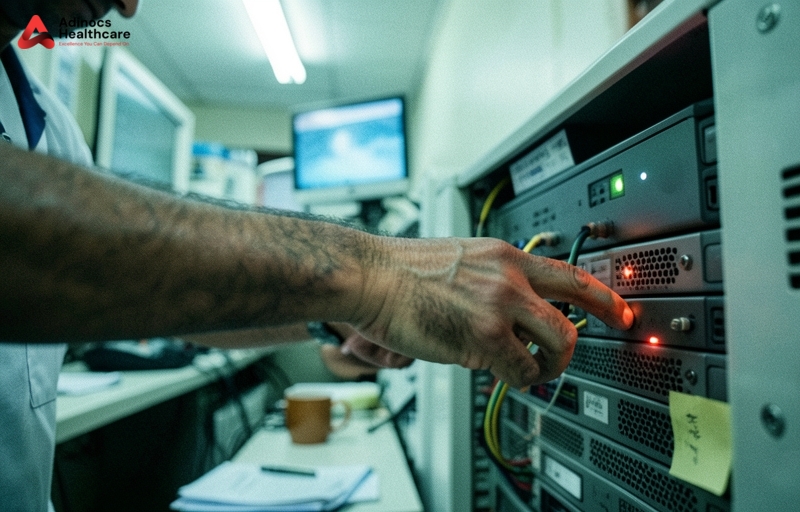
According to a 2025 Indian teleradiology infrastructure report, nearly 40% of diagnostic centres in Tier-2 and Tier-3 Indian cities suffer from silent data degradation on local storage drives. When evaluating Cloud PACS vs On-premise India, the risks of staying local are clear: catastrophic data loss, high upfront hardware costs, slow remote access, ransomware vulnerability, and NABL non-compliance. A failing local server does not just delay reports. It actively erodes your reputation with referring physicians. Worth knowing.
The short answer: On-premise PACS exposes Indian labs to severe risks of data loss, high upfront hardware costs, and NABL non-compliance. Switching to Cloud PACS eliminates local server maintenance, slashes IT costs by up to 50%, and secures patient data with automated off-site backups.
What is the difference between Cloud PACS and On-Premise storage? (Cloud PACS vs On-premise India)
A pathology lab owner in Durgapur recently asked us why he should pay a monthly subscription when he can buy a 4 Terabyte Network Attached Storage (NAS) box from a local computer market. It is a common question. On-premise PACS relies on physical hardware located inside your facility. You buy the servers. You pay for the cooling. You hire the IT technician to fix it when it crashes at 9:00 PM on a Sunday. If your local hard drives fail, your data disappears. Every time.
Cloud PACS works differently. Your imaging data from digital X-ray, CT, and MRI machines is encrypted and transmitted directly to secure, off-site data centres. These data centres are managed by global infrastructure providers who guarantee 99.9% uptime. You do not need to buy expensive physical servers. Instead, your staff accesses patient scans through a web browser or a lightweight application. This setup provides the scalable radiology storage solutions India requires, automatically expanding your storage capacity from 100 GB to 10 TB as your scan volume grows. No manual hardware upgrades required.
| Feature | On-Premise PACS | Cloud PACS |
|---|---|---|
| Upfront Capital Expense | High (Rs. 3 lakh to Rs. 8 lakh for servers) | Zero or minimal setup fee |
| Storage Scalability | Manual (Requires buying new hard drives) | Instant and automatic |
| Data Backup | Manual (Often neglected or done poorly) | Automated, redundant, and multi-location |
| Remote Access | Slow, requires complex VPN setups | Fast, secure, accessible from any device |
| Maintenance Costs | High AMC fees and local IT salary | Included in the monthly subscription |
How much can Indian centers save by switching to Cloud PACS in 2026? (Cloud PACS vs On-premise India)
In January 2026, a mid-sized diagnostic centre in Siliguri performing 40 scans a day calculated their annual IT overheads. The numbers were shocking. First, they paid Rs. 4 lakh for the physical server. Then came the annual maintenance contract (AMC) at 15% of the hardware cost. Add the cost of a dedicated IT support person at Rs. 2.5 lakh per year. Finally, add the electricity bill for running a dedicated server room AC 24 hours a day. The bills pile up fast. Not anymore.
By shifting to a cloud model, you eliminate these capital expenses. The cost of cloud PACS for diagnostic centers India operates on a predictable, pay-per-use model of Rs. 20 per scan. You only pay for the active storage you use. In our financial audits of regional imaging facilities, we found that switching to the cloud reduces overall IT operational expenses by 35% to 50% in the first year alone. This saved capital can be redirected to upgrade your primary modalities. If you want to understand how outdated hardware impacts your bottom line, read about Why Old Radiology Machines Cost Indian Labs More.
Does Cloud PACS help with NABL and NABH data backup compliance?
During a surprise NABL audit in March 2026, a multi-speciality hospital in Asansol almost lost its accreditation. The inspectors asked to retrieve a 4-year-old MRI scan of a spine surgery patient. The local server had overwritten the file to make space for newer scans. A direct violation of Indian regulatory standards. According to the NABL India guidelines, laboratories must maintain clear, traceable, and easily retrievable records of all patient data for specified retention periods, often extending up to 5 to 7 years for critical cases.
Implementing a proper PACS data backup for NABL compliance India is incredibly difficult on local drives. Local drives lack the automated redundancy needed to guarantee data integrity. Why risk your entire business reputation on a cheap local hard drive? Cloud PACS platforms solve this compliance headache by creating three identical copies of every DICOM file across different geographic zones. If one data centre experiences an issue, another immediately takes over. This level of data protection ensures you easily clear audits without scrambling for lost files. To prevent similar operational failures, read our guide on Why Most Indian Radiology Centers Fail NABH Audits in 2026.
What are the risks of relying on local servers for radiology data?
In July 2025, a 100-bed multi-specialty hospital in Guwahati lost three years of digital X-ray and CT records overnight. A severe monsoon power surge bypassed their UPS and fried both the primary server and the connected backup NAS drive. They had no off-site backup. The financial and legal fallout was devastating. This is the reality of radiology data loss risks India faces due to volatile local operating environments.
Relying on physical local servers exposes your business to three major threats:
- Ransomware and Cyberattacks: Local servers running outdated operating systems are easy targets. A 2025 cybersecurity report showed that 1 in 5 Indian diagnostic centers using local servers faced a ransomware attempt. Hackers lock your database and demand lakhs in cryptocurrency. Many Indian labs quietly pay these ransoms because they have no other way to get their data back.
- Physical Hazards: Water leakage, electrical short circuits, fire, and theft are common occurrences in commercial buildings across India. A single pipe burst in the ceiling above your server room can wipe out your entire business history.
- Silent Bit Rot: Over time, magnetic media on hard drives decays. Files become corrupted without any warning message. You only discover the damage when a radiologist tries to open a scan and gets a file error.
These risks are amplified if your equipment is not calibrated or verified regularly. For a deeper understanding of quality assurance standards, see Why Indian Radiology Equipment QA Needs NABL 17025 in 2026?.
How to migrate radiology data to the cloud without center downtime?
A diagnostic network in Patna with 12 terabytes of historical patient data hesitated for two years to migrate to the cloud, fearing a complete operational shutdown. They worried that migrating terabytes of historical patient data would halt daily scanning and cost them patient revenue. This fear is unfounded if you follow a structured migration path. You do not have to upload everything at once.
Here is the step-by-step process we recommend for a seamless transition:
- Deploy a Hybrid Gateway: Install a lightweight software gateway on your local network. This gateway acts as a temporary local cache, allowing your modalities to send scans instantly without waiting for internet uploads.
- Prioritize Active Workloads: Route all new, daily patient scans directly to the cloud. Your radiologists can start reporting on the cloud platform immediately, keeping patient turnaround times under 45 minutes.
- Migrate Historical Data in the Background: Schedule the migration of your archive files during non-peak hours, such as late nights or Sundays. The migration software throttles bandwidth usage so your daily internet operations remain fast.
- Verify Data Integrity: Run automated MD5 checksum tools to match the local files with the migrated cloud files, ensuring no data corruption occurred during the transfer.
Action Plan
- Audit your current storage: Check the age of your local PACS servers. If they are older than three years, they are entering the high-failure zone.
- Calculate your true IT spend: Add up your server AMC, IT support salaries, AC electricity costs, and emergency repair bills to see your true on-premise cost.
- Verify your backup routine: Ask your IT team to restore a random patient scan from 2023. If it takes more than ten minutes, your backup system is failing.
- Schedule a bandwidth check: Ensure your diagnostic centre has a stable fiber-optic internet connection with a secondary backup line.
Frequently Asked Questions
How much does Cloud PACS cost per scan in India?
The average cost ranges from Rs. 15 to Rs. 45 per study, depending on your monthly scan volume and storage retention requirements. Unlike on-premise systems, there are no heavy upfront server purchasing costs or expensive annual maintenance contracts.
Is Cloud PACS compliant with the Indian DPDP Act 2023?
Yes. Reputable cloud PACS providers use AES 256-bit encryption for data both in transit and at rest. This complies with the Digital Personal Data Protection (DPDP) Act of India and international HIPAA security standards, making it far more secure than a local server with basic password protection.
Can we run Cloud PACS on a 10 Mbps broadband connection in Tier 3 cities?
Yes. Modern cloud PACS platforms use smart streaming technology. They load the initial diagnostic-quality images using compressed web-ready formats, allowing radiologists to view and report on scans even on standard 4G or basic broadband connections without waiting for the entire heavy DICOM file to download.
What happens to our PACS if the internet goes down in our lab?
Most cloud PACS installations include a local hybrid appliance. This appliance stores scans locally on your local network during an internet outage. Once the internet connection is restored, the local appliance automatically syncs and uploads all pending studies to the cloud in the background without manual intervention.
Conclusion
Sticking with an on-premise PACS is no longer a safe option for growing Indian diagnostic facilities. The hidden costs of hardware maintenance, the constant threat of hardware failure, and the strict demands of NABL audits make local servers an operational liability in 2026. Transitioning to the cloud protects your patient data, lowers your operational expenses, and allows your radiologists to report from anywhere. At Adinocs Healthcare, we help diagnostic centres and hospitals across Eastern India make this transition seamlessly with zero operational downtime. Talk to our teleradiology team today to secure your radiology workflow and get a free Cloud PACS migration assessment.
Data sources: National Accreditation Board for Testing and Calibration Laboratories (NABL) guidelines, Central Drugs Standard Control Organisation (CDSCO) digital medical records recommendations, and internal operational data from Adinocs Healthcare client audits.